
West Markets: Seamless In-Store Shopping on iPhone
Overview
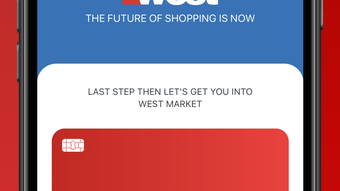
West Markets is a lifestyle-focused mobile application designed to streamline the in-store shopping experience for iPhone users. Developed by Home Service Oil Company, the app introduces a technology-driven approach to grocery and retail shopping, emphasizing convenience and efficiency. By eliminating traditional checkout lines, West Markets enables users to enter a store, select items at their own pace, and exit without waiting in line.
The core functionality revolves around a one-time registration process, after which users can gain access to participating stores via a QR code generated within the app. This digital entry method simplifies store access and enhances security. Once inside, the app maintains a real-time virtual cart that tracks all selected items, regardless of how they are carried—whether held, bagged, or stored in a personal bag.
This tracking system ensures accuracy and transparency in the shopping process. The app automatically charges the user’s West Market account upon exit, with a digital receipt generated immediately. This makes it ideal for consumers who prioritize time-saving solutions and seamless shopping experiences.
The app is particularly suited for busy individuals, frequent shoppers, and tech-savvy users seeking a modern alternative to conventional retail models. While specific details about store locations or supported product categories were not provided, the app’s design suggests it targets urban and suburban consumers with access to participating West Markets locations.
Key Features & Capabilities
- QR Code Entry System – Users can gain access to participating West Markets stores by presenting a QR code from the app, streamlining entry and reducing physical interaction with staff or turnstiles.
- Virtual Cart Tracking – The app continuously monitors all selected items in real time, allowing users to manage their purchases without the need for physical shopping carts or baskets.
- Hands-Free Shopping Experience – Shoppers can carry items in their hands, bags, or personal accessories, with the app still accurately tracking inventory and preventing discrepancies.
- Automated Checkout – Upon exiting the store, the app automatically processes payment to the user’s West Market account, eliminating the need to wait in line or scan items manually.
- Instant Digital Receipt – A receipt is generated and stored within the app shortly after exit, providing a clear record of purchase history and transaction details.
These features collectively support a frictionless shopping journey. For example, a commuter can quickly pick up essentials during a lunch break, enter the store via the app, shop without constraints, and leave without delay. The virtual cart ensures that no item is missed or overlooked, while the automated payment system reduces stress and saves time.
The QR-based access also enhances security by limiting entry to registered users, making the experience both efficient and controlled. While the app does not support offline mode or manual item removal, its design focuses on continuous connectivity and real-time tracking. This makes it best suited for users with consistent access to their iPhone and a stable internet connection during shopping trips.
User Interface, Workflow & Performance
The user interface of West Markets appears to be designed with simplicity and speed in mind. Based on its core functionality, the app likely features a clean, minimal layout focused on essential actions: entry, shopping, and exit. Navigation is expected to be intuitive, with a central dashboard displaying the current virtual cart and a prominent QR code for store entry.
The workflow follows a logical sequence: registration → entry → shopping → exit → receipt. This linear structure minimizes user confusion and supports fast adoption. The app’s performance is likely optimized for the iPhone ecosystem, ensuring smooth transitions between screens and responsive feedback during interactions.
However, exact performance details such as CPU or RAM usage were not specified. The developer did not provide additional system requirements or stability reports. Based on general software behavior patterns, the app is expected to maintain stable operation during typical use, especially when connected to a reliable network.
The 45.8 MB installation size suggests a lightweight footprint, which may contribute to faster load times and efficient storage usage. While no user-reported issues were included in the provided data, the absence of known performance metrics means that real-world responsiveness under heavy usage remains unverified.
Compatibility & System Requirements
West Markets is designed exclusively for iPhone devices. The app is compatible with iOS versions supported by the developer, though specific version requirements were not listed. It requires a minimum of 45.8 MB of storage space for installation, which is relatively modest for a modern mobile application.
The developer did not specify exact hardware requirements, such as processor type or memory capacity. As a result, compatibility with older or newer iPhone models remains unclear. The app is intended for use with devices that support QR code scanning and mobile payments, which are standard features across most recent iPhone models.
Users should ensure their device meets the baseline capabilities needed for secure app operation, including camera access and internet connectivity. The developer did not provide information on whether the app supports multiple Apple devices or requires a specific Apple ID configuration. Platform compatibility information is limited to the iPhone platform, with no indication of availability on iPad or Mac.
Pros and Cons
Pros
- Eliminates checkout lines with automated payment
- Offers a hands-free shopping experience
- Tracks items in a virtual cart regardless of how they are carried
- QR code entry enhances security and access control
- Free to download and use with no subscription fees
Cons
- Exclusive to iPhone; no support for other platforms
- Requires a stable internet connection for real-time tracking
- Dependent on participating West Markets store locations
- Does not support offline shopping or manual item removal
- Registration and account setup may be required before first use
FAQ Section
Is West Markets available for Android devices?
West Markets is currently designed exclusively for iPhone users. There is no official Android version available at this time.
How does the app handle payments?
Upon exiting the store, the app automatically charges the user’s West Market account using the payment method linked to their profile. No manual scanning or input is required.
Can I use West Markets without an internet connection?
Due to the real-time tracking and automated checkout system, the app requires a stable internet connection during the shopping session. Offline usage is not supported.
Is the app secure?
West Markets uses a QR code-based entry system and secure account linking to protect user data. The developer did not provide specific details about encryption or data handling practices.
How often does the app update?
Regular updates are expected to maintain compatibility and improve functionality. The latest version is 1.0.0, released on April 5, 2024.
Final Thoughts
West Markets presents a forward-thinking approach to in-store shopping by integrating digital access, real-time tracking, and automated checkout into a single iPhone application. Its focus on convenience, speed, and seamless integration makes it a compelling tool for consumers who value efficiency in their daily routines. The app’s reliance on a QR code system and virtual cart ensures a frictionless experience, particularly for quick errands or busy shopping trips.
While its exclusive iPhone compatibility and dependence on store availability may limit broader accessibility, it remains a strong solution for eligible users. The free pricing model further enhances its appeal, removing financial barriers to adoption. For tech-savvy shoppers seeking a modern alternative to traditional retail, West Markets delivers on its promise of a time-saving, stress-free shopping journey.
Download West Markets now.







